

Turn any photo into a clean 3D model, right inside Blender.
Fico3D is a Blender plugin for hard-surface artists. Show it a photo or blueprint and watch the part build itself, with clean quad topology you can subdivide, bevel and unwrap on the first try.
- Clean quads, no triangles on curved surfaces
- We don't store your photos or models
- Free trial. Pay only if it convinces you
Every mesh is counted before you see it.
A sample hex nut made only of quads. The numbers beside it are counted from the mesh in your browser, the same way the plugin's checker counts a real model.
A mesh that looks right can still cost you a day.
Most quick 3D output is made to be looked at. Production work needs a mesh you can keep editing, and you find out the difference after the model is already in your scene.
Subdivision pinches
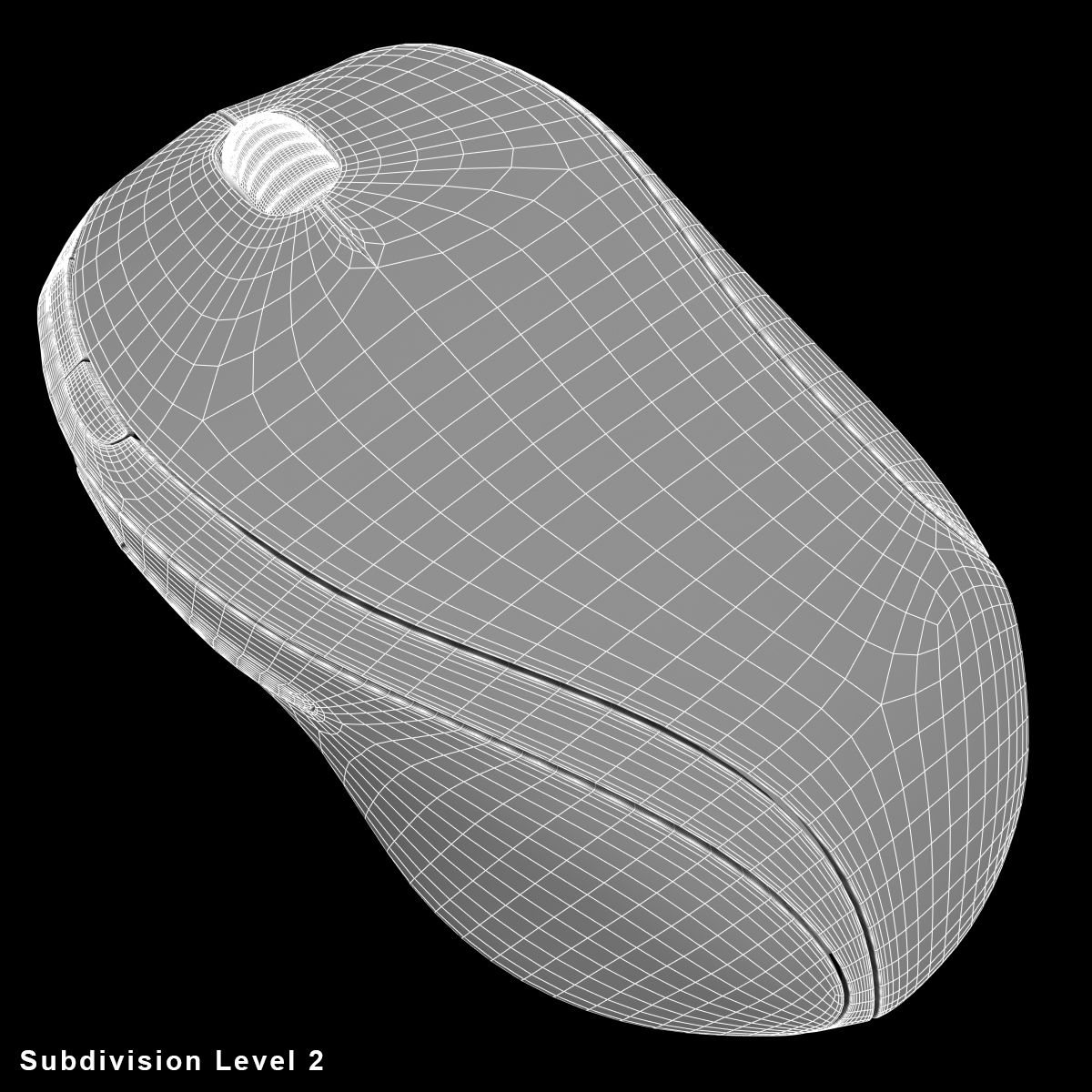
Triangles and n-gons on curved surfaces create dents and shading breaks the moment you add a Subdivision modifier.
Bevels fall apart
Uneven loops and stray vertices make bevels twist, so every edit turns into a repair job.
UVs stretch
Messy topology gives messy islands. Texture work starts with cleanup before it starts with art.
The plugin builds. You approve.
Fico3D never hands you a finished file to trust blindly. At every gate the plugin shows its work: screenshots, face counts and a silhouette overlap against your reference.
- 1You confirm the brief
Analyze
Reads the camera angle, symmetry and function of the part, including hidden details, and writes a brief. No geometry exists until you agree with it.
- 2You confirm stage 1
Blockout
Every element is present. Proportions are compared with your reference after each step and corrected until they match.
- 3You confirm stage 2
Merge and retopology
Runs only when the blockout needs it. Sharp edges are marked on every edge of 45 degrees or more.
- 4
Polish and check
Support loops and a non-destructive Subdivision modifier. The checker runs after every major operation and each failure becomes a targeted repair.
- 5You confirm UVs and bake
Materials, UVs and report
Named materials, UV unwrap and baked procedural textures on request, clean file names, and a report with the real checker numbers.
Go back any time
A .blend snapshot is saved at every gate. One click returns you to the previous stage.
Change anything
Edit the numbers in the stage summary or say what is wrong. The plugin fixes it and asks again.
Full trace
Every run logs your input, each Blender tool call and each stage, so you can see exactly what happened.
Done means measured, not claimed.
A checker runs inside Blender against thresholds kept in one file. The report lists what it measured and what it did not, so you know exactly what to inspect by eye.
- tris, n-gons
- None allowed on curved surfaces.
- poles
- Counts every vertex that does not have four edges.
- non-manifold
- Open edges, loose geometry and duplicate vertices fail the finish.
- symmetry
- Verified on the axes the brief declares.
- UV check
- Islands, texel density, stretch, overlap and margin.
# hex-nut: report (example format)
Built:    hex nut, 1 part
Analysis: profile subd_ready, symmetry 6-fold
Checker:  tris 0 / n-gons 0 / poles 0
          non-manifold 0 / duplicates 0
          pass
Materials: steel -> hex-nut
File mgmt: names, collection, root Empty done
Not fixed / assumptions:
  unmeasured checks are listed here
Objects modeled during development. Fico3D is built for hard-surface and product shapes. It tells you when a subject is a character or creature instead of guessing.
Faster than modeling by hand. More reliable than a one-click tool.
One-click tools give you a shape to clean up. Manual modeling gives you control and costs your time. The Fico3D plugin builds the clean version and keeps you in the loop.
| Fico3D | One-click 3D tools | Modeling by hand | |
|---|---|---|---|
| Starting point | Photo, blueprint or description | Usually one image or a line of text | Your own reference and skill |
| Topology | Quad-based, built to a rule set | Varies by tool; often needs cleanup | As good as you make it |
| Verification | Script checks with counts in every report | You inspect it yourself | You inspect it yourself |
| Your control | Approve or change at each stage | Try again and hope | Full, one edit at a time |
| Result | Editable .blend with live modifiers | A mesh to import | An editable .blend |
| Your time | Review and confirm | Cleanup and retopology | The whole job |
For people who ship models, not screenshots.
If the mesh has to survive the next edit, the Fico3D plugin is built for you.
Product and industrial designers
Turn a photo or sketch of a part into a clean base you can refine, render and hand over.
Game and real-time artists
Get props with sensible loops and sharp edges marked, ready for baking and UV work.
Visualization and e-commerce teams
Model many hard-surface products with consistent naming, collections and materials.
Studios with a pipeline
Every run is logged and every stage is saved, so the work is reviewable and repeatable.
We never see your photos or models.
Fico3D has no server that receives your files. The plugin runs inside Blender on your own machine, and your work is saved in a folder only you control.
Your files never leave your computer through us
Photos, blueprints, .blend files, screenshots, reports and run logs are written to your project folder. We do not upload, copy or keep them.
Almost nothing to protect
Your account holds only your email, your name and your credit balance with its history. There is nothing about your models to leak, because we do not have them.
You decide what leaves your computer
The plugin sends a photo to an external online service only when you ask it to build something, through a subscription you hold yourself and under that provider's terms. Fico3D does not see or keep that traffic.
This describes how the plugin works today. Any hosted service will publish its own privacy terms before you use it.
See it work on your part before you pay.
You should not have to take our word for it. Run a real object through the plugin, read the checker report, and decide with the result in front of you.
Start the trial
Install the plugin in Blender and sign in to your subscription. Nothing to buy first.
Model your own part
Give the plugin a photo or blueprint of something you actually need. Approve each stage and read the report with real counts.
Buy when you are sure
If the topology holds up in your pipeline, you buy. If it does not, you have lost nothing.
Reasonable questions.
What if the plugin gets a part wrong?
You see it at the gate before anything is built on top of it. Tell it what is wrong or go back to the saved snapshot of the previous stage.
Do you store my photos and models?
No. Today they stay in your project folder on your computer, and Fico3D has no server that receives them. We store only your account details (email, name and credit balance) and any message you send us through the contact form. To analyze a photo, the plugin sends it to an external online service through your own subscription, so that provider's terms apply to that step.
Will it overwrite my scene?
It works in its own project folder and saves a snapshot at each gate. The discarded state is kept when you go back.
What do I need to run it?
Blender and an online subscription. We tell you which one when you start your trial. No extra keys are needed. Long sessions count against your subscription limits.
Can it model characters or organic shapes?
No. Fico3D is for hard-surface objects and says so instead of producing a poor result.
What does it cost, and do I pay before I try it?
No. You start with a free trial and buy only after you have seen it work on your own part. Final pricing is not published yet. The plan is to charge for what you use.
Which license is the plugin under?
GPL 3.0 or later, as required for Blender plugins that use bpy.
Contact us
Write to us anytime. We answer all enquiries as soon as possible, on business days.
Our mailbox
contact@fico3d.com
Legal information
Open the Impressum or the privacy policy.
Ready to get started?
Questions, partnerships or business enquiries? Send us a message and we will get back to you. Your email address will not be published.
Your account
Credit balance
Credits pay for what the plugin uses on the hosted service.
Top-ups open when the hosted service launches. Your free trial does not need credits.
Profile
Credit history
No credit activity yet.